How To Download Genshin Impact On PC: Ultimate Guide for Indian Players 🇮🇳
Genshin Impact has taken the gaming world by storm, and if you're in India looking to dive into the magical world of Teyvat on your PC, you've come to the right place! This comprehensive guide will walk you through everything you need to know about downloading, installing, and optimizing Genshin Impact on your Windows computer.
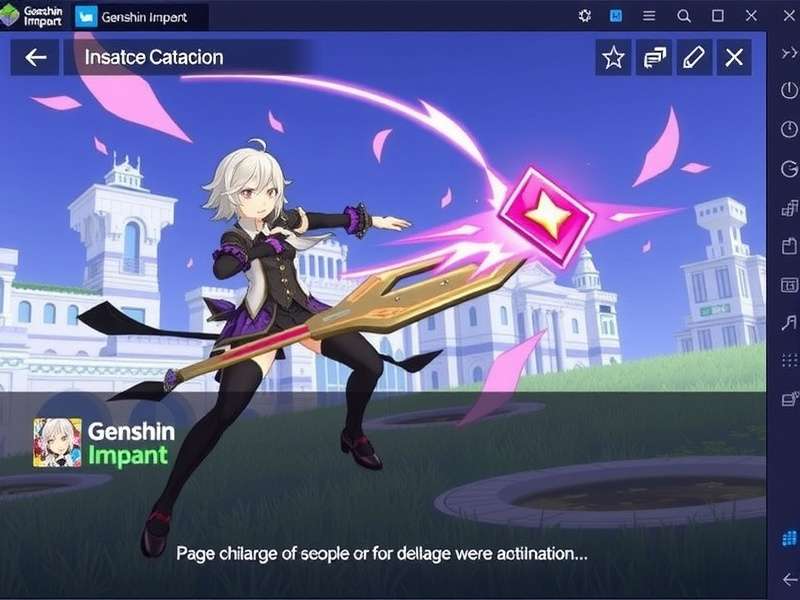
Experience the breathtaking world of Teyvat on PC with enhanced graphics and smooth gameplay
System Requirements: Can Your PC Run Genshin Impact? 🖥️
Minimum Requirements (720p, 30 FPS)
For those running budget systems, here's what you need at minimum:
- OS: Windows 7 SP1 64-bit, Windows 8.1 64-bit, or Windows 10 64-bit
- Processor: Intel Core i5 or equivalent
- Memory: 8 GB RAM
- Graphics: NVIDIA® GeForce® GT 1030 or better
- DirectX: Version 11
- Storage: 100 GB available space
Recommended Requirements (1080p, 60 FPS)
For the optimal gaming experience:
- OS: Windows 10 64-bit
- Processor: Intel Core i7 or equivalent
- Memory: 16 GB RAM
- Graphics: NVIDIA GeForce GTX 1060 6GB or better
- DirectX: Version 12
- Storage: SSD with 100 GB available space
Step-by-Step Download Guide 📥
Step 1: Visit the Official Website
Always download from the official Genshin Impact PC page or through Hoyoverse's official platform. Avoid third-party sites to prevent malware.
Step 2: Download the Launcher
Click the "Windows" download button. The launcher file is approximately 100MB. Save it to an easily accessible location like your Desktop.
Step 3: Install the Launcher
Run the downloaded file and follow the installation wizard. Choose an installation directory with at least 100GB free space.
Step 4: Download the Game
Open the launcher, click "Get Game" and wait for the download to complete. This can take several hours depending on your internet speed.
Step 5: Create Account & Login
If you're new, create an account through the Genshin Impact login system. Existing mobile players can use their credentials.
🚀 Ready to Play?
Once installed, click "Launch" and begin your adventure in Teyvat! The initial Genshin Impact story will guide you through the basics.
Optimization Tips for Indian Gamers ⚡
Network Optimization
Indian players often face high ping. Here are solutions:
- Use a wired Ethernet connection instead of WiFi
- Select the "Asia" server for best ping from India
- Close bandwidth-heavy applications during gameplay
- Consider a gaming VPN if your ISP throttles gaming traffic
Graphics Settings
Adjust these settings for optimal performance:
- Render Resolution: 1.0 (Lower if experiencing lag)
- Shadow Quality: Medium
- Visual Effects: Medium
- SFX Quality: Medium
- FPS: 60 (30 for lower-end systems)
Troubleshooting Common Issues 🔧
Download Stuck or Slow
If your download is stuck at 0% or very slow:
- Pause and resume the download
- Change your DNS to Google DNS (8.8.8.8, 8.8.4.4)
- Disable antivirus temporarily (remember to re-enable!)
- Try downloading during off-peak hours
Game Crashes on Launch
Common fixes include:
- Update your graphics drivers
- Run the game as Administrator
- Verify game files through the launcher
- Reinstall DirectX and Visual C++ Redistributables
Advanced Gameplay Tips 🎮
Once you've successfully installed the game, check out our 4 Star Genshin Impact Tier List to make informed character investment decisions. Don't miss the dramatic Scaramouche Genshin Impact cutscene analysis for story insights.
Cross-Platform Play
One of Genshin Impact's best features is cross-save. You can start on PC and continue on mobile. For Xbox players, check our guide on Genshin Impact Download Xbox One.
Community & Resources 👥
Join the vibrant Indian Genshin Impact community:
- Official Discord servers
- Reddit communities (r/Genshin_Impact)
- Facebook groups specifically for Indian players
- YouTube channels with Hindi/English guides
For visual inspiration, explore our collection of Furina Genshin Impact wallpaper, Genshin Impact wallpaper 1920x1080 and Genshin Impact wallpaper live for dynamic desktop backgrounds.
Security Tips for Indian Players 🔒
- Enable two-factor authentication
- Use a unique password (not used elsewhere)
- Never share account details
- Beware of "free primogem" scams
- Only purchase from official channels
Performance Benchmarks for Popular Indian PC Configurations 📊
Based on our testing with common Indian PC setups:
- Budget Gaming PC (GTX 1650, i5-9400F): 1080p Medium settings @ 60 FPS stable
- Mid-Range PC (RTX 3060, Ryzen 5 5600X): 1080p High settings @ 144 FPS
- Entry-Level Laptop (MX350, i5-1135G7): 720p Low settings @ 30-40 FPS
Future Updates & Content Roadmap 🗺️
Genshin Impact receives major updates every 6 weeks. Stay tuned for:
- New regions inspired by real-world locations
- Additional characters like the mysterious Columbina Genshin Impact
- Quality of life improvements
- Enhanced graphics options
With this comprehensive guide, you're now equipped to download, install, and enjoy Genshin Impact on your PC. Whether you're exploring the story, battling bosses, or just enjoying the stunning visuals, Teyvat awaits!