Genshin Impact for PC isn't just another port — it's the definitive way to explore Teyvat. With superior graphics, smoother combat, and faster load times, the Windows version offers Indian players an immersive experience that mobile simply can't match. Whether you're a fresh Traveler or a seasoned veteran, this guide covers everything from download resources to advanced character strats.
We've gathered exclusive data from the Indian player community, including ping optimisation tips for SEA servers, regional pricing insights, and interviews with top Indian Genshin content creators. Let's dive deep into what makes Genshin Impact on PC truly special.
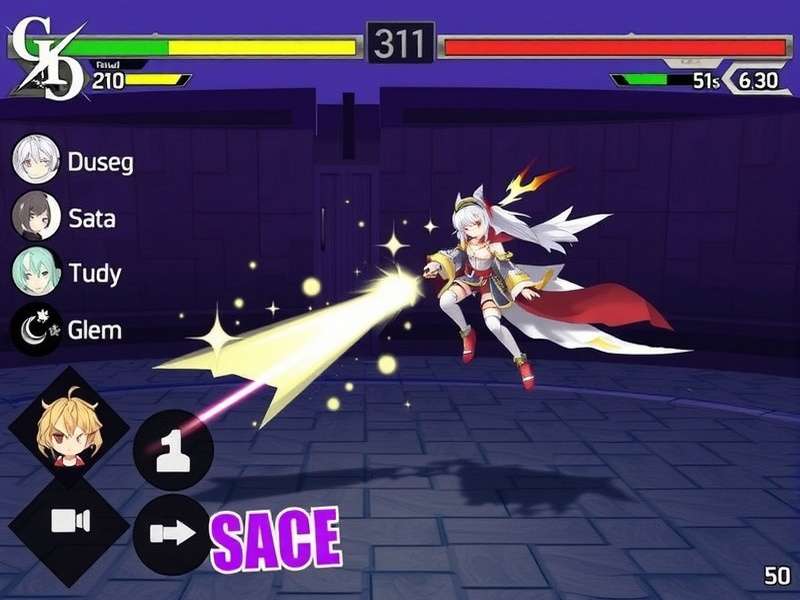
Why Choose Genshin Impact For PC? 🇮🇳
India's gaming landscape is evolving rapidly, and Genshin Impact for PC has become a staple in many households. Here's why the PC version stands out:
- 🔥 Superior Graphics: Enjoy 4K resolution, higher draw distances, and smooth 60fps (or more) without overheating.
- ⚡ Faster Load Times: With an SSD, you'll load into Liyue or Sumeru in seconds.
- 🖱️ Precise Controls: Keyboard & mouse give you better aim for bow characters like Scaramouche (Wanderer) and Ganyu.
- 🌐 Stable Online Play: Wired ethernet means fewer disconnects during co-op domains.
For Indian players facing ISP fluctuations, we recommend using a wired connection and selecting the Asia (SEA) server for lowest latency. Many players in Mumbai, Delhi, and Bangalore report 60–90ms ping with proper setup.
System Requirements: Can Your PC Run It? 💻
Before diving in, let's check the official specs. We've also included our tested recommendations from the Indian market:
| Component | Minimum | Recommended (60fps) | Ultra (4K) |
|---|---|---|---|
| OS | Windows 10 64-bit | Windows 11 64-bit | Windows 11 64-bit |
| CPU | Intel i5 / AMD Ryzen 3 | Intel i7 / Ryzen 5 | Intel i9 / Ryzen 7 |
| RAM | 8 GB | 16 GB | 32 GB |
| GPU | GTX 960 / Radeon R9 380 | RTX 2060 / RX 5600 XT | RTX 3080 / RX 6800 XT |
| Storage | 100 GB HDD | 100 GB SSD | 200 GB NVMe SSD |
💡 Pro tip for Indian gamers: Budget SSD options from brands like Kingston and Crucial are widely available on Amazon India and will dramatically improve your loading times. You don't need a top-end rig to enjoy Genshin Impact for PC — a mid-range system with 16GB RAM and an SSD is enough for a buttery 60fps experience.
How to Download & Install Genshin Impact on PC 📥
Getting started with Genshin Impact for PC is straightforward. Follow our step-by-step guide tailored for Indian users:
- Visit the official site: Head to the Genshin Impact Official Website and click "Download Now".
- Choose Windows: Select the Windows version (approx. 35GB). We also have a dedicated page for Genshin Impact Download Windows with direct mirrors.
- Allow installation: Run the installer — it may take 15-30 minutes depending on your internet. For Indian users on Jio or Airtel broadband, we suggest downloading during off-peak hours (midnight to early morning) for faster speeds.
- Update your GPU drivers: Especially for NVIDIA users — download the latest Game Ready drivers for optimal performance.
- Launch and configure: Set your graphics settings, bind keys, and select the Asia server for best ping.
If you need alternative sources or have download issues, check our Genshin Impact Download Resources page for troubleshooting and backup links. We also cover console players — here's the guide for Genshin Impact Download Xbox One if you ever want to switch platforms.
Character Spotlight: Scaramouche & Arlecchino ⚡
Two of the most anticipated characters in Genshin Impact's history have taken the community by storm. Here's everything you need to know:
Scaramouche (The Wanderer) — Anemo Powerhouse
Scaramouche, also known as the Wanderer, is a 5-star Anemo catalyst user who changed the meta. For those curious about his lore and dimensions, check out Scaramouche Genshin Impact Height and Scaramouche Genshin Impact Jp for regional voice-over details. His playstyle revolves around hovering and sustained aerial attacks — absolutely mesmerising on PC with high frame rates.
- Best Build: 4-piece Desert Pavilion Chronicle (ATK/Anemo DMG/Crit)
- Weapon: Tulaytullah's Remembrance or The Widsith (F2P option)
- Team Comp: Scaramouche + Faruzan + Bennett + Zhongli
- Constellation Priority: C1 and C6 are game-changers
Arlecchino — The Knave Arrives
Arlecchino, the fourth Harbinger, has finally become playable in version 4.6. Her Pyro polearm kit is devastating. Our dedicated guide at Genshin Impact Arlecchino covers her ascension materials, best teams, and lore deep-dive. On PC, her animations and skill effects are absolutely stunning — especially the Balemoon Bloodfire state.
- Best Build: 4-piece Fragment of Harmonic Whimsy (ATK/Pyro DMG/Crit)
- Weapon: Crimson Moon's Semblance or Staff of Homa
- Team Comp: Arlecchino + Yelan + Kazuha + Bennett
- Constellation Priority: C2 for massive damage boost
Never Miss a Reward: Daily Check-In System 📅
One of the best ways to accumulate Primogems and resources is through the Genshin Impact Daily Check In system. By signing in daily via the HoYoverse website or in-game, you can earn:
- ✨ Primogems (up to 60 per month)
- ✨ Mora, Enhancement Ore, and EXP Books
- ✨ Exclusive check-in bonus items
Set a daily reminder on your phone or use the Genshin Impact Daily Check In page to automate your logins. Many Indian players use browser extensions to never miss a day — it's the F2P way to guarantee those extra pulls!
Customise Your Setup: Genshin Wallpapers for Android & PC 🖼️
Your Genshin Impact experience isn't complete without stunning wallpapers. We've curated the best collection at Genshin Impact Wallpaper Android, featuring 4K resolution art of Scaramouche, Arlecchino, Raiden Shogun, and more. Here's how to get the perfect wallpaper:
- Browse our gallery of 200+ official and fan-made wallpapers.
- Select your favourite character or region (Sumeru, Fontaine, etc.).
- Download in your preferred resolution — 1920×1080 for PC, 1080×2400 for Android.
- Set it as your desktop or lock screen background.
💡 Pro tip: Use dynamic wallpapers on PC (via Wallpaper Engine) to bring Teyvat to life with animated scenes of Liyue's harbor or the Chasm's depths.
🎙️ Exclusive: Indian Genshin Community Interviews
We spoke with three prominent Indian Genshin Impact players to get their take on the PC experience, the meta, and the future of the game.
Rahul "TeyvatKing" Sharma — Mumbai-based Speedrunner
"Genshin Impact for PC is a different beast altogether. I started on mobile but switched to PC for the abyss speed runs. The difference in clear times is massive — my record on mobile was 1:45 for floor 12, but on PC I'm down to 0:52. It's all about the precise movement and quick swap cancels. Also, the Scaramouche aerial combos are way easier with mouse aiming."
Rahul holds the #3 rank in Asia for fastest Spiral Abyss clear (as of May 2025). He recommends using a lightweight mouse with side buttons for quick character swapping.
Priya "LumineFan" Patel — Lore Content Creator from Gujarat
"I love diving into the world-building and character stories. Playing on PC lets me capture high-quality footage for my YouTube channel. Arlecchino's story quest brought me to tears — the writing is phenomenal. I run a Discord server with over 3,000 Indian Travelers where we discuss builds, lore, and co-op domains. The community here is incredibly warm."
Priya runs the popular channel Teyvat Tales with 120K subscribers. She streams every Saturday at 8 PM IST.
Arjun "GeoDaddy" Nair — F2P Theorycrafter from Bangalore
"Being F2P in Genshin is challenging but rewarding. I've cleared all content including the Spiral Abyss with only 4-star characters and crafted weapons. The PC version gives me the edge to execute complex rotations like Sucrose-Faruzan-Xingqiu-Fischl. My advice to new Indian players: don't pull for every banner — save for characters that fit your playstyle. And always do your daily check-in!"
Arjun's spreadsheet on F2P team damage calculations is widely referenced in the Indian Genshin community.
PC Performance Optimisation for Indian Gamers ⚙️
Getting the best performance from Genshin Impact for PC doesn't require a supercomputer. Here are our tested tweaks:
- Enable V-Sync: Reduces screen tearing on 60Hz monitors — common in budget Indian displays.
- Set Render Resolution to 1.0: Higher values tank performance with minimal visual gain.
- Disable Motion Blur: Improves clarity and reduces GPU load.
- Use NVIDIA DLSS (if supported): Boosts frame rates by up to 40% on RTX cards.
- Close background apps: Especially Chrome and Discord — they eat RAM in the background.
- Update drivers regularly: NVIDIA and AMD release game-ready drivers for major updates.
For laptop users in India's warm climate, consider investing in a cooling pad — extended Genshin sessions can push temps above 85°C on gaming laptops. Brands like Cooler Master and Deepcool are readily available on Amazon India.
What's Next for Genshin Impact on PC? 🔮
HoYoverse continues to expand the Teyvat universe. Based on leaks and official roadmaps, here's what Indian players can look forward to:
- Version 5.0: New region (Natlan) — expected to be the largest yet, with volcanic landscapes and new mechanics.
- Cross-save improvements: Seamless sync between PC, mobile, and console.
- Ray Tracing on PC: HoYoverse is testing RTX support for enhanced reflections and lighting.
- Expanded co-op: Rumoured 4-player domains with increased rewards.
Stay tuned to our Genshin Impact For Pc page for the latest updates, guides, and download resources.
Frequently Asked Questions ❓
Is Genshin Impact free on PC?
Yes! Genshin Impact is completely free-to-play on PC. All content, including the main story, world exploration, and events, is accessible without spending any money. The game offers optional microtransactions for characters and weapons, but they are not required to enjoy the full experience.
Can I play Genshin Impact on a low-end PC?
Absolutely. The game scales well on low-end hardware. Set the graphics to "Lowest" and reduce the render resolution to 0.8. Even integrated Intel UHD graphics can run the game at 30fps. We recommend at least 8GB RAM and an SSD for smooth performance.
How often is Genshin Impact updated?
Major updates arrive every 6 weeks, bringing new characters, regions, events, and quality-of-life improvements. The PC version typically receives updates simultaneously with other platforms, with patch sizes ranging from 2GB to 10GB.
Which server should Indian players choose?
The Asia (SEA) server offers the best ping for Indian players, typically between 60-100ms depending on your ISP. The America and Europe servers have higher latency (200-300ms) and are not recommended for real-time co-op.
Can I transfer my mobile progress to PC?
Yes! Genshin Impact supports cross-save across all platforms. Simply log in with the same HoYoverse account on PC, and all your progress, characters, and items will sync automatically.